Welcome to Kanoa MES Documentation
Kanoa MES is a modular Manufacturing Execution System built on and for Inductive Automation’s Ignition platform. Kanoa's solutions are designed to equip your factory with new production management, analysis, and control tools that deliver value from day one and continue to evolve with your team and business.
This documentation is the reference for installing, configuring, operating, and extending Kanoa MES in real production environments.
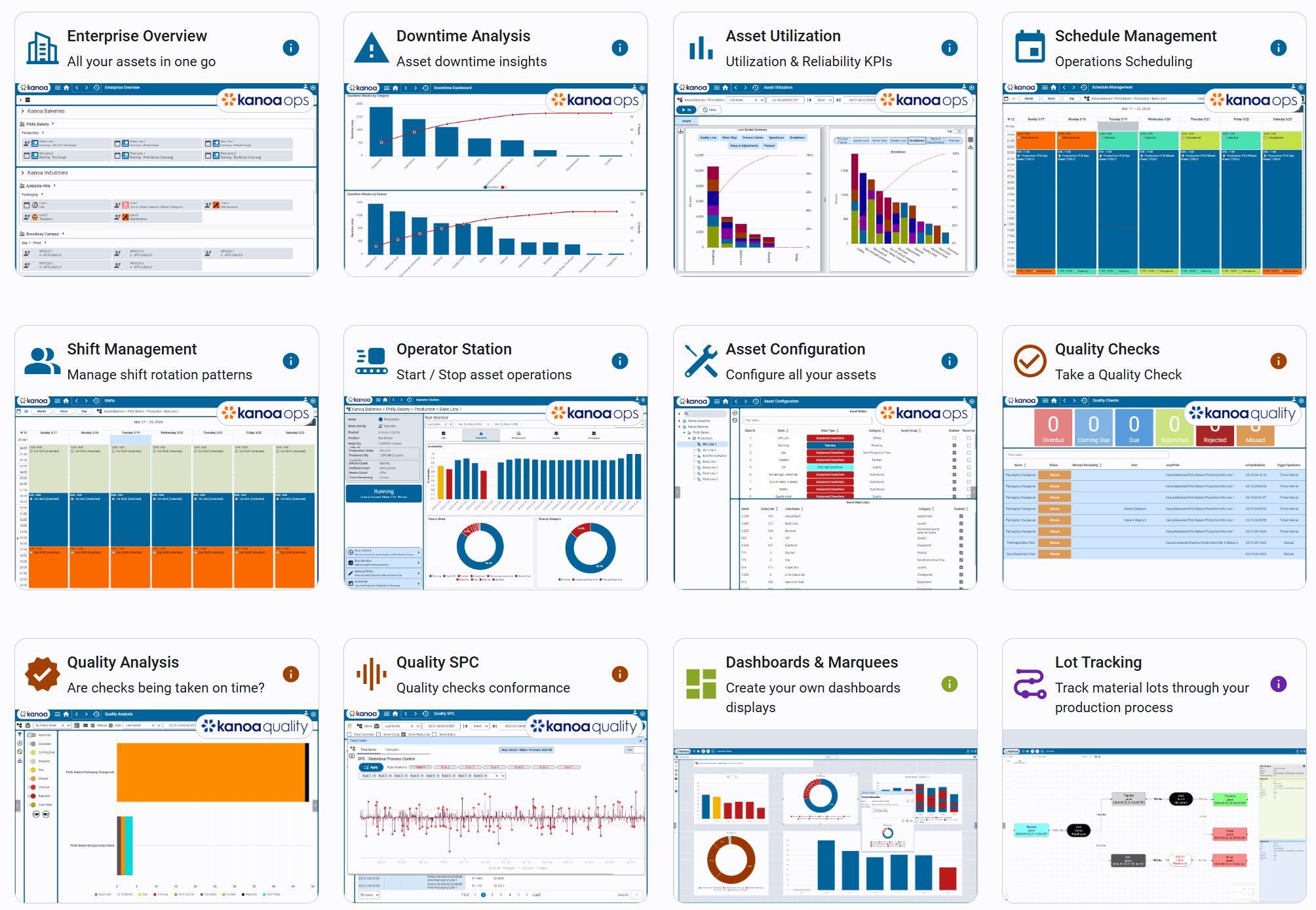
Kanoa MES is delivered as a single Ignition module that installs on an Ignition Gateway. After installation, you enable different capability sets by applying the licenses you’ve purchased. These licensed capability sets are referred to as Solutions:
- Kanoa Ops - Required foundation for any Kanoa MES deployment. It establishes the core manufacturing structures and execution workflows that other solutions build on.
- Kanoa Trace - Adds material tracking and genealogy capabilities, helping you understand where materials came from, where they went, and how they moved through production.
- Kanoa Quality - Adds tools for quality workflows such as tests, specifications, inspections, and electronic forms—supporting consistent data capture and compliance-oriented processes.
- Kanoa Maintenance - Integrated maintenance management enabling teams to manage maintenance workflows alongside production, quality, and operational analytics.
- Kanoa Inventory - Inventory system providing a complete set of functions for managing parts, stock levels, locations, suppliers, and bill of materials (BOM) across your asset hierarchy.

What You’ll Find Here
- Concepts: what a feature/model is and how it fits into Kanoa MES
- Installation & Deployment: how to install and upgrade Kanoa MES on an Ignition Gateway
- Configuration: how to set up Kanoa MES for a site (assets, users, lots, etc.)
- Operational Workflows: how production, quality, and traceability workflows run in practice
- Best Practices: patterns for maintainable, scalable deployments
- Reference: system functions and database schema reference
Who This Documentation Is For
- Anyone new to Kanoa MES: start with Getting Started to learn the basics and how Kanoa fits into Ignition.
- Systems Integrators: use Installation & Deployment, Configuration, and Accelerators to build maintainable solutions.
- Manufacturing Engineers and Power Users: use Operations Management and Quality Management workflow documentation to understand how production execution, quality, and traceability behave.
Where to Start
New to Kanoa MES
Go to Getting Started, then follow the path based on your goal:
- Learn what Kanoa is and how it fits into Ignition
- Understand which modules apply to your scope
- Install and deploy Kanoa MES
- Complete a first-time setup example
Installing Kanoa MES on a Gateway
Go directly to Getting Started → Installation & Deployment.
Downloads and Releases
Kanoa MES downloads are available from Kanoa’s Downloads page. Release notes and version history are documented in the Releases section of this site.
Partner Programs
Want to join us as a partner? Our partner program welcomes systems integrators who actively use and improve our product offering. Our partners create a network of technologies, thought leaders, and solution providers to solve any manufacturing challenge. For more information on joining us, visit our Friends Of Kanoa page.