Raise a One-Time Work Order
The Machine 1 operator reports coolant pooling under the machine. That's a one-off repair, so it gets a One Time template.
Create the work order template
-
Navigate to Configuration → Maintenance → Work Orders and, on the Work Orders tab, add a template.
-
Fill it in:
Field Value Title Machine 1 - Coolant leakDescription Operator reports coolant pooling under the machine near the chip conveyor.Asset CoreForge\Philadelphia\Machining\Machine 1Maintenance type Corrective Priority High Requested by Your own user Schedule type One Time -
Save, then set its version status to Released.
Releasing the template generates the work order. Templates that are still Draft are never scheduled, so you can prepare them in advance.
Reference Materials: Version Status
Version Status
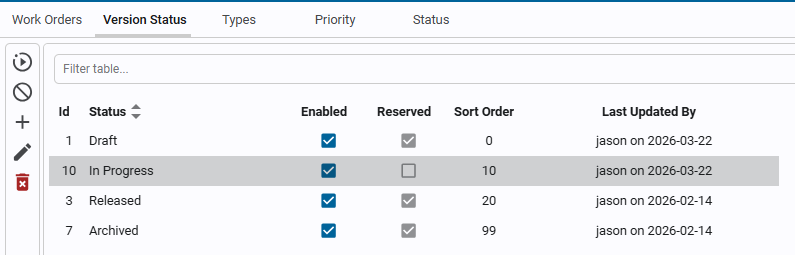
Work orders can be created, but will not be scheduled or used until they have been set to a 'Released' version status.
Find the work order
- Navigate to Maintenance → Work Orders.
- Find
Machine 1 - Coolant leakin the Open group and note its work order number, such asMWO00001. - Try the filters at the top: type, priority, technician, requestor, and name.