Tooling
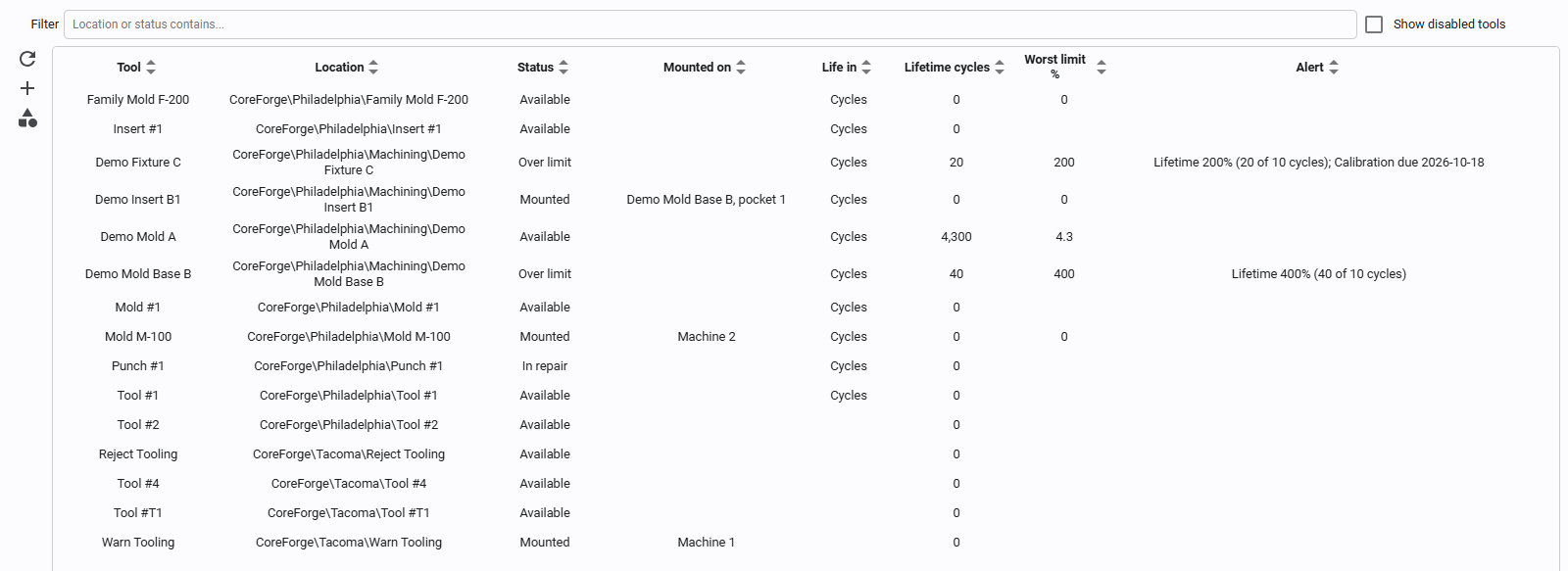
Tooling tracks the molds, dies, fixtures, gauges and other tools that are mounted on your machines: what each tool makes per cycle, how fast it runs on each machine, where it is mounted, and how much life it has left. A tool's rate becomes the standard rate of the runs on its machine, so OEE performance is measured against the tool that's actually mounted.
How It Fits Together
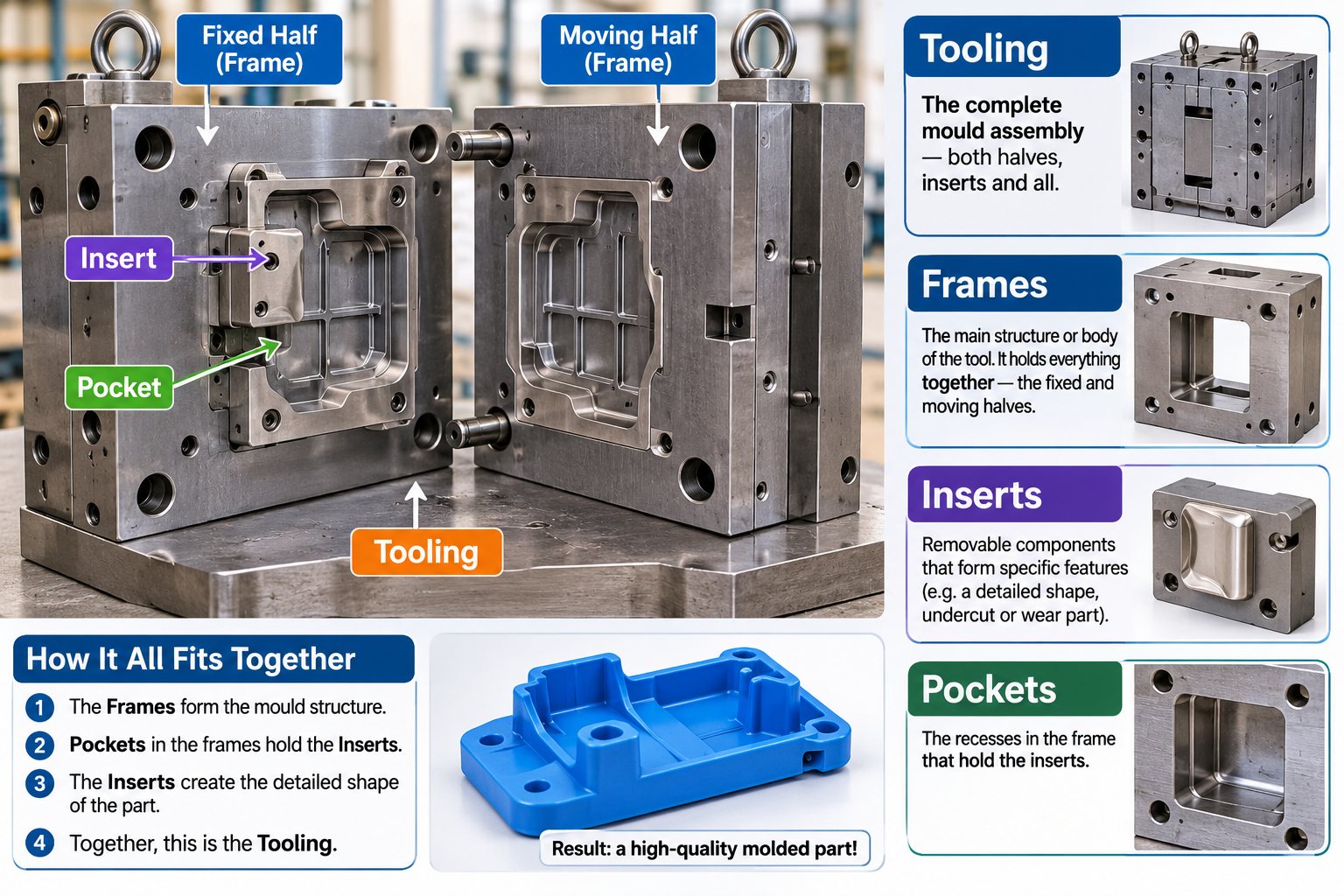
A production mold is more than its cavities. Frames (the fixed and moving halves) form its structure, pockets in the frames hold inserts, and the inserts shape the part. Kanoa models each of these as a tool, and the whole assembly is the tooling.
- Tools are assets. A tool is an asset whose type is a tooling type (Mold, Mold Insert, Die, Jig, Fixture, Gauge, Cutting Tool, Change Part, Tool, or one you add). It sits in the asset tree, usually under a site, and keeps its history like any other asset. See Tools and Tool Types.
- Positions describe what a tool makes each time the machine cycles: one shot of a mold, one stroke of a die. Each cavity or station adds its parts per cycle. See Positions.
- Required tooling says which tools an item needs on a machine: it's the link from an item to its tools. It drives the warning when a run starts without them, and the tool reservations of scheduled operations. See Required Tooling.
- Fit rules (optional) say where a tool may be mounted: which machines, or which mold bases' pockets. A tool with no rules fits any machine in its site that uses tooling. See Fit Rules.
- Cycle rates say how fast a tool runs on a machine. A run's standard rate is the tool's cycle rate times its parts per cycle, unless the item has its own rate for that tool. See Cycle Rates and Item Rates.
- Mounting puts a tool on a machine (or an insert into a mold base). Mounting, unmounting and swapping a tool start a new run when they change the rate. See Mounting Tools.
- Tool life counts the cycles and running time each tool has done, against its PM, refurbishment, lifetime and calibration limits, and gives it a status. See Tool Life.
- Tags let a machine's PLC mount a tool, block positions, and report cycles and shot counter readings. See Tooling Tags.
Setting Up a Tool: Where Everything Lives
New to tooling? Getting Started with Tooling walks through these steps with one mold.
| To set... | Go to | Notes |
|---|---|---|
| Which machines take tools | Configuration > Ops > Assets, the machine's Uses tooling checkbox | The machine must be OEE-enabled. |
| The tool itself: its type, location and life limits | Configuration > Ops > Tooling, Add a tool, then the Details tab | Its location's site decides which machines it can go on. See Tools and Tool Types. |
| What the tool makes each cycle, and how many | The tool's Positions tab | One row per cavity, station or nest, with its Parts per cycle. Leave Item empty unless it's a family tool. See Positions. |
| How fast the tool runs on each machine | The tool's Cycle Rates tab, one rate per machine | The standard rate becomes cycle rate × parts per cycle. See Cycle Rates and Item Rates. |
| Which tools an item needs on a machine | Configuration > Ops > Materials, Required Tooling tab | The link from an item to its tools. See Required Tooling. |
| A different rate for one item with one tool (optional) | Configuration > Ops > Materials, Production Rates tab: edit the machine's rate and pick the Tool | Only when the item doesn't run at cycle rate × parts per cycle. See Item Rates for a Tool. |
| Where the tool may be mounted (optional) | The tool's Fits On tab | For the tool, or every tool of its type. With no rules, any machine in its site. See Fit Rules. |
| Which tool is on the machine now | The Operator Station's Tooling card, or the machine's Tooling tags | See Mounting Tools. |
A tool isn't tied to one machine: it can run on any machine that uses tooling in its site, one at a time, with its own cycle rate on each.
A tool that belongs to a site stays in that site: it can only be mounted on that site's machines, and its rates are only for that site's machines. A tool outside any site can go on any machine. Tool names must be unique within a site, because a machine's tag mounts a tool by name.
Running below the tool's rate shows as a speed loss on the Operator Station, with the reason Positions blocked while a position is blocked. See Speed Loss.