Cycle Rates and Item Rates
A run's standard rate, the rate OEE performance is measured against, comes from the tool mounted on the machine. Most tools need only a cycle rate; an item rate for a tool is an exception for an item that runs at a different speed.
Cycle Rates
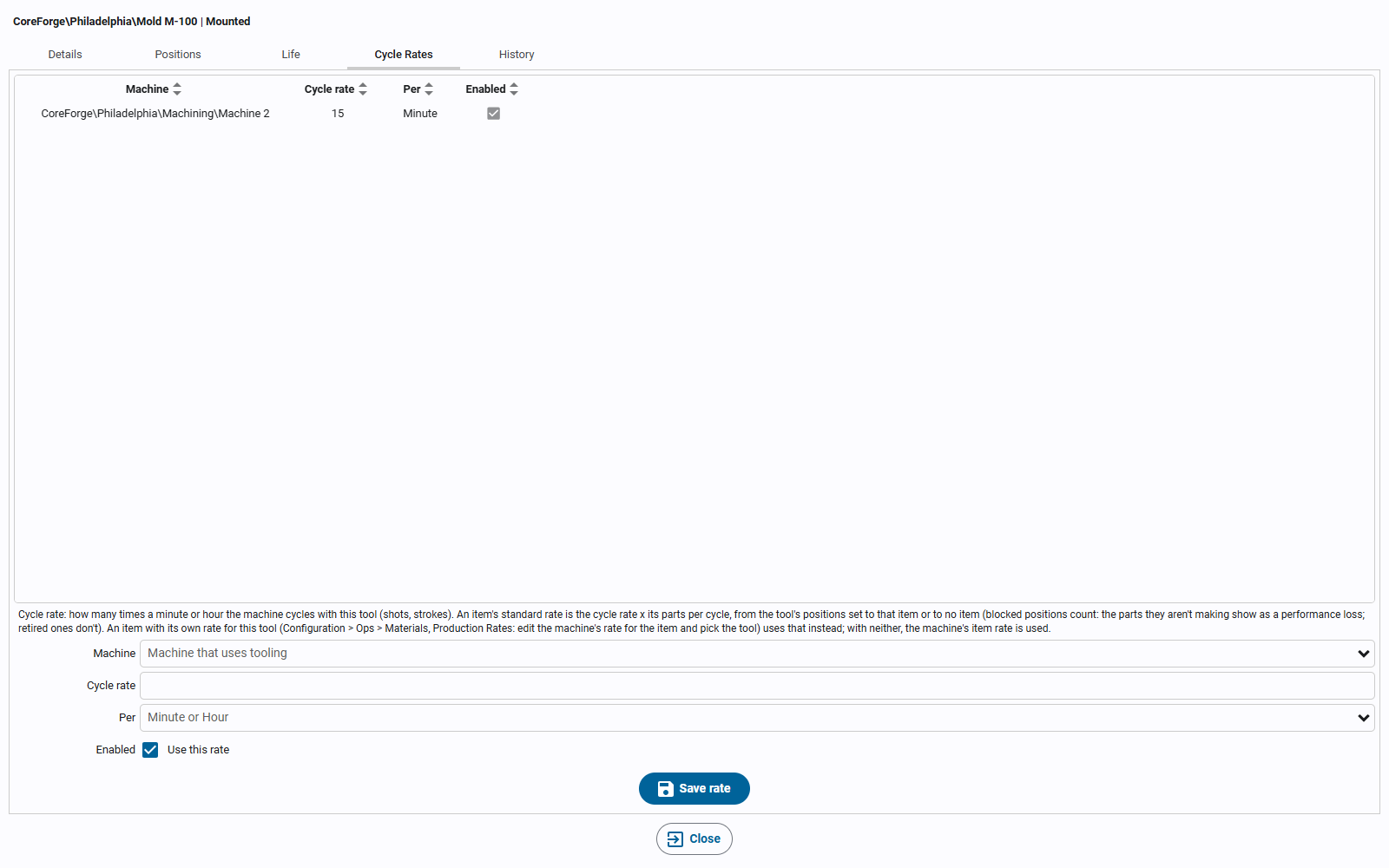
The cycle rate is how many times a minute or an hour a machine cycles with the tool mounted: its ideal speed with that tool (shots, strokes). It's set per machine, on the tool editor's Cycle Rates tab, because the same tool can run faster on one machine than another. Only the machines in the tool's site that use tooling are offered.
The standard rate for an item is:
cycle rate x parts per cycle x package count, counting the positions set to the item or to no item (blocked positions count, retired ones don't)
Parts per cycle are counted in the item's outfeed units: the parts a cycle makes. A machine's standard rate is in its infeed units, so the Package Count of the machine's own rate for the item (in Production Rates: the infeed units that make one outfeed unit) converts one to the other. When the machine counts the same thing going in and coming out, the package count is 1 (or empty) and drops out.
For example, Mold M-100 has 4 cavities with no item, and runs at 15 cycles a minute on Machine 2. Whatever item runs, its standard rate is 15 x 4 = 60 a minute. A family mold with cavities 1-2 set to item A and 3-4 to item B at 12 cycles a minute gives each item 12 x 2 = 24 a minute.
A machine that measures what goes in rather than parts works the same way. Machine 1 machines parts from bar, rated in pounds of bar in, with a package count of 0.1 (each part takes 0.1 lb). A 4-nest fixture at 10 cycles a minute gives 10 x 4 x 0.1 = 4 lbs a minute.
A mold base with inserts uses its own cycle rate on the machine if it has one; otherwise the slowest cycle rate of the inserts mounted in it.
The cycle rate is a target, not a count. What was actually made still comes from the machine's counts.
Item Rates for a Tool
Set an item rate for a tool when an item's rate isn't simply the cycle rate times its parts per cycle, for example when it runs slower than the tool's other items. Item rates for a tool live with the machine's own item rates, in Configuration > Ops > Materials, on the Production Rates tab:
- Select the machine's rate for the item (its Tool column says Machine rate) and click the edit button.
- In the editor, pick the Tool. The list has the tools that can be mounted on the machine, and None, the machine's own rate; a tool that already has a rate says (has a rate), and picking it edits that rate. A tool with no rate starts a new one from the machine's rate's units and period, and a hint says what the tool's cycle rate already gives the item, so you can tell whether you need a rate here at all.
- Enter the standard rate (and schedule rate) and click Save.
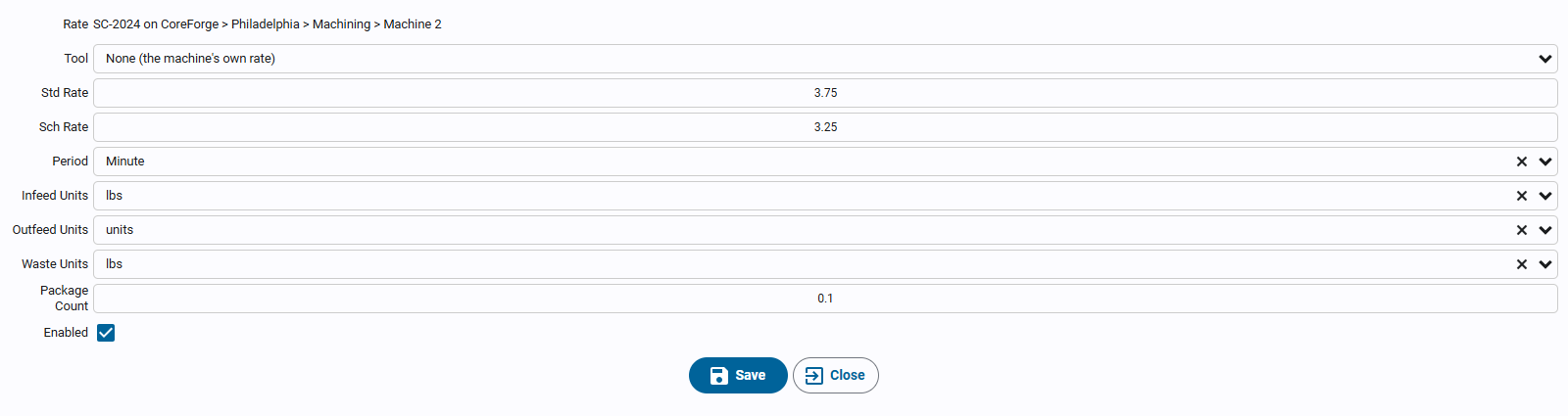
Tool rates are listed under the machine's own rate in the Production Rates table, with the tool in the Tool column, and are edited (select one and click the edit button) and deleted like any other rate. The Tool column only shows when a listed machine uses tooling.
Which Rate a Run Uses
When a run (an item running on a machine) starts, or the tooling on the machine changes, its standard rate is the first of:
- The item's rate for the mounted tool (for a mold base with inserts, the innermost tool that has one).
- The tool's cycle rate x parts per cycle x package count, when the mounted tools make at least one part of the item per cycle.
- The machine's own rate for the item.
So a tool with no cycle rate, or whose positions are all set to other items, leaves the machine on its own rate.
- Mounting, unmounting, or retiring a position starts a new run at that moment if it changes the rate. Blocking a position never does.
- Each run keeps the rate it started with. A changed rate applies to the run in progress and later runs, never to earlier ones. A rate override typed on a run is kept through rate changes.
- Deleting a rate the run in progress is using re-stamps that run with the rate that applies now.