Positions
Positions describe what a tool makes each time the machine cycles: one shot of a mold, one stroke of a die. Add them on the tool editor's Positions tab. The tool needs Has positions turned on.
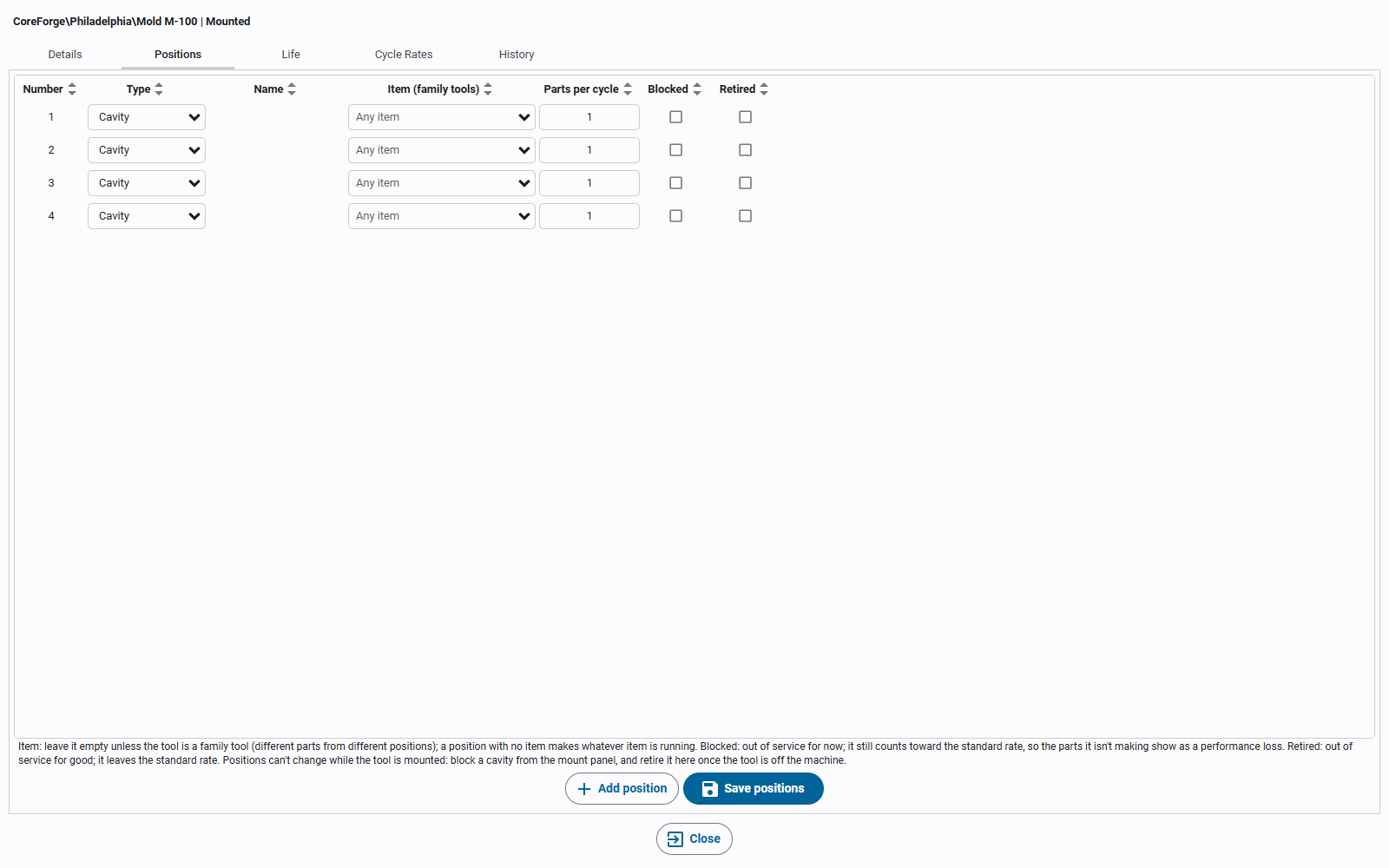
| Field | Meaning |
|---|---|
| Number | The position's number on the tool; unique within the tool. |
| Type | Cavity, out, station, nest, pick, or pocket. A pocket holds another tool (an insert in a mold base or frame). It makes nothing itself, so it has no item and no parts. Pockets need Holds inserts on the tool. |
| Item (family tools) | Leave it empty unless the tool is a family tool (different parts from different positions). A position with no item (Any item) makes whatever item is running; one set to an item counts only when that item runs. |
| Parts per cycle | How many parts this position makes each cycle, in the item's outfeed units. The standard rate converts them to the machine's infeed units with the package count (see Cycle Rates and Item Rates). |
| Blocked | Out of service for now: a fault that hasn't been fixed yet. |
| Retired | Out of service for good: for example, a cavity that has been welded shut. |
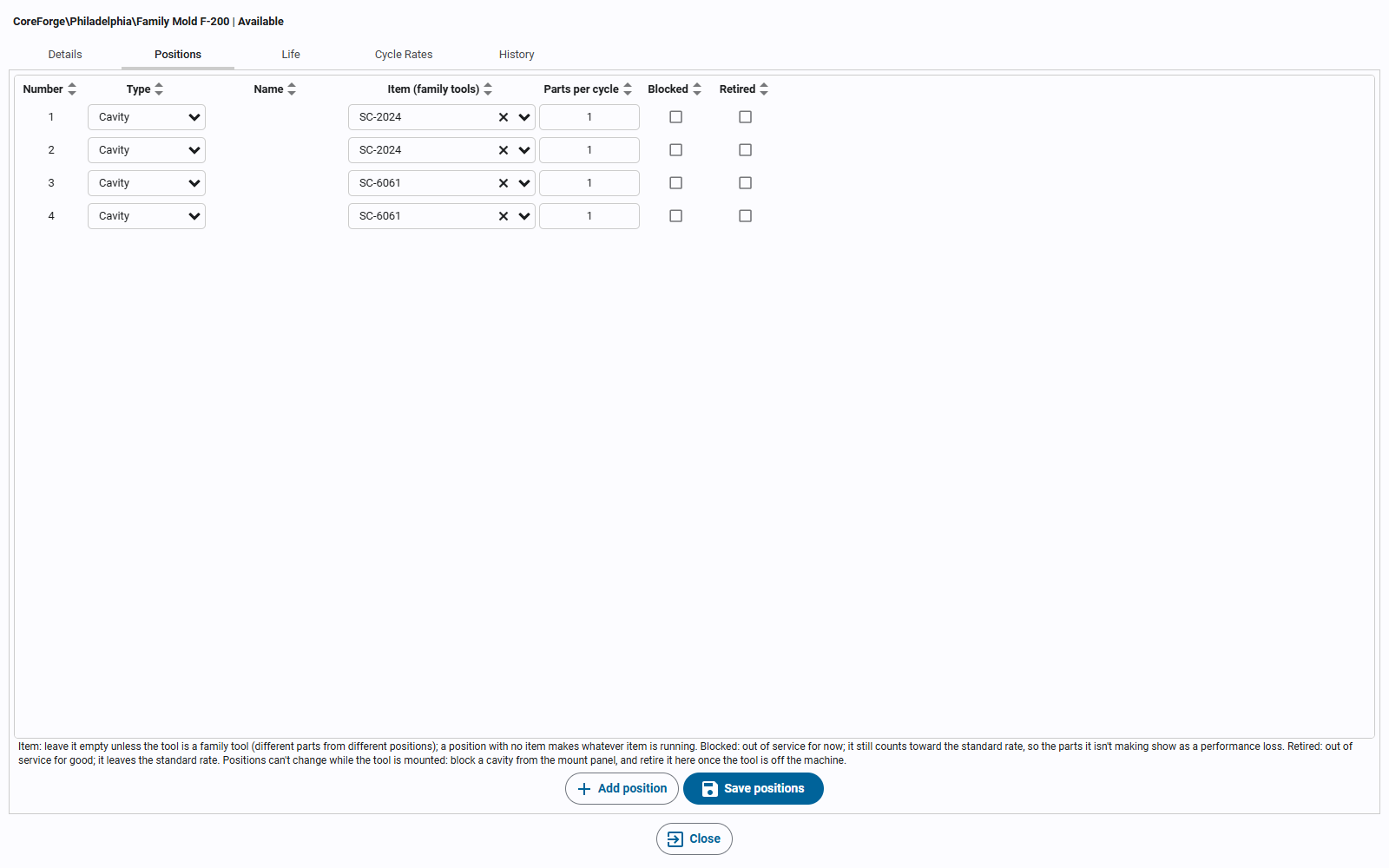
A family mold sets each position to the item it makes. Here, cavities 1 and 2 make one part and 3 and 4 another, so each item has 2 parts per cycle:
A run is for one item. When the machine's cycles come from its Tooling/Inputs/Cycle Count, the other items a family tool
makes in the same cycles are recorded too, as co-products: production of those items, but not of the run, its OEE or
its work order. See Counting outfeed from cycles. A machine whose
outfeed comes from its own Inputs/Outfeed Count counts only the running item.
Blocked and Retired Positions
The two work differently on purpose:
- Blocked positions still count toward the standard rate. The machine makes fewer parts than its standard, so the missing parts show as a performance loss with the reason Positions blocked (see Speed Loss). Blocking or unblocking doesn't change the rate, so it never starts a new run.
- Retired positions leave the standard rate from the moment they're retired, and keep their history. Retiring a position, or bringing it back, starts a new run if it changes the machine's rate. A retired position can't be blocked.
For example, a mold with 4 cavities at 30 cycles a minute has a standard rate of 120 a minute. Block one cavity and the standard stays at 120 while the machine makes 90: the missing 30 are a speed loss. Retire that cavity and the standard drops to 90 from then on.
Changing Positions
- Positions can't be changed while the tool is mounted. To take a cavity out of service during a run, block it from the mount panel (see Mounting Tools), then retire it on the Positions tab once the tool is off the machine.
- A position that has been part of a mount can't be removed, because the mount's history records the positions the tool had then. Retire it instead. A position that has never been mounted can be removed.
- A pocket that holds a tool must stay a pocket, and can't be retired while it holds one.
Parts per Cycle
A tool's parts per cycle for an item is the sum of the parts of its unblocked positions set to that item or to no item. The standard parts per cycle, used for the standard rate, counts the blocked positions too. Retired positions and pockets never count. A mold base's parts per cycle comes from the inserts in its pockets.